

Last updated:
Estimated reading time: 8 minutes
ChatGPT for teachers has quietly become one of the most useful tools in education: it can draft a lesson plan, differentiate a worksheet, or generate speaking prompts in seconds. For teachers of English Learners, that speed is transformative, but only if the prompts are good. This guide shows how ELL and bilingual educators use ChatGPT well, with ready-to-use prompts at three levels and a clear-eyed view of what it cannot do.
Table of contents
Build Your Prompt in 20 Seconds
The hardest part of using AI is writing the prompt. Skip that: pick your task, standard, proficiency level, grade, and topic, then open the ready prompt in ChatGPT, Claude, or Gemini.
What ChatGPT for Teachers Can Do
Quick answer: ChatGPT is a general-purpose AI assistant that teachers use to draft lesson plans, create and differentiate worksheets, write rubrics, generate discussion and writing prompts, translate and simplify texts, and save hours of prep. Since November 2025, OpenAI has also offered ChatGPT for Teachers, a plan that is free for verified U.S. K-12 educators through June 2027. For ELL teachers, its biggest value is fast, on-level differentiation for a class of mixed proficiencies. Claude and Gemini are similar assistants that work the same way and are strong alternatives.
| Task | How ChatGPT helps ELL teachers |
|---|---|
| Lesson planning | Drafts standards-aligned plans by grade and proficiency level |
| Worksheets | Creates and differentiates practice with scaffolds and answer keys |
| Speaking activities | Generates discussion prompts, role-plays, and sentence frames |
| Writing | Produces leveled writing prompts and feedback checklists |
| Assessment | Drafts rubrics and formative checks aligned to standards |
| Access | Simplifies texts and creates bilingual glossaries |
Best Practices for Using ChatGPT Well
- Give it context every time: grade, WIDA/ELPAC/TELPAS level, the standard, and your objective.
- Ask for scaffolds and a speaking component, which it rarely adds unless told.
- Iterate: treat the first output as a draft and refine (“make it one level lower”, “add sentence frames”).
- Review for accuracy and bias before using anything with students.
- Never paste student data (names, IEP details, scores) into a public tool.
Common Mistakes
- Prompts that are too vague, producing generic, off-level material.
- Forgetting to specify proficiency level, so the output ignores your ELs.
- Using output verbatim without a teacher review.
- Entering student data into a public AI tool.
How to Structure a Great Prompt
The builder above writes strong prompts for you. Knowing how they are built lets you tweak them with confidence. A good prompt grows in layers, from a bare request to an expert, classroom-ready one.
Basic (just the task): Create a vocabulary worksheet about weather for English Learners. Fast, but generic and rarely on-level.
Better (adds grade, level, objective, format): Create a weather vocabulary worksheet for Grade 4 at WIDA Level 2, with a matching activity, fill-in-the-blank with a word bank, and clear success criteria. Now it targets your students.
Expert (adds scaffolds, speaking, differentiation): Create it for Grade 4 at WIDA Level 2 with sentence frames, a partner speaking activity, an extension toward Level 3, a newcomer accommodation, and an answer key and short rubric. This is what the builder produces.
Five techniques that upgrade any prompt
- Give the AI a role. Begin with “Act as an ESL teacher for English Learners” to set tone and expertise.
- Name the output format. “As a printable worksheet with an answer key” or “as a table” controls the result.
- Show an example (few-shot). Paste one item or sentence frame you like and add “use this style for the rest.”
- Differentiate in one prompt. Ask for the task “at WIDA Levels 1, 2, and 4” so one request covers your class.
- Iterate. Treat the first output as a draft: “make it one level lower,” “add sentence frames,” “shorten the reading.”
For a ready-to-use library across tasks, see AI prompts for ELL teachers.
Using ChatGPT for Lesson Planning
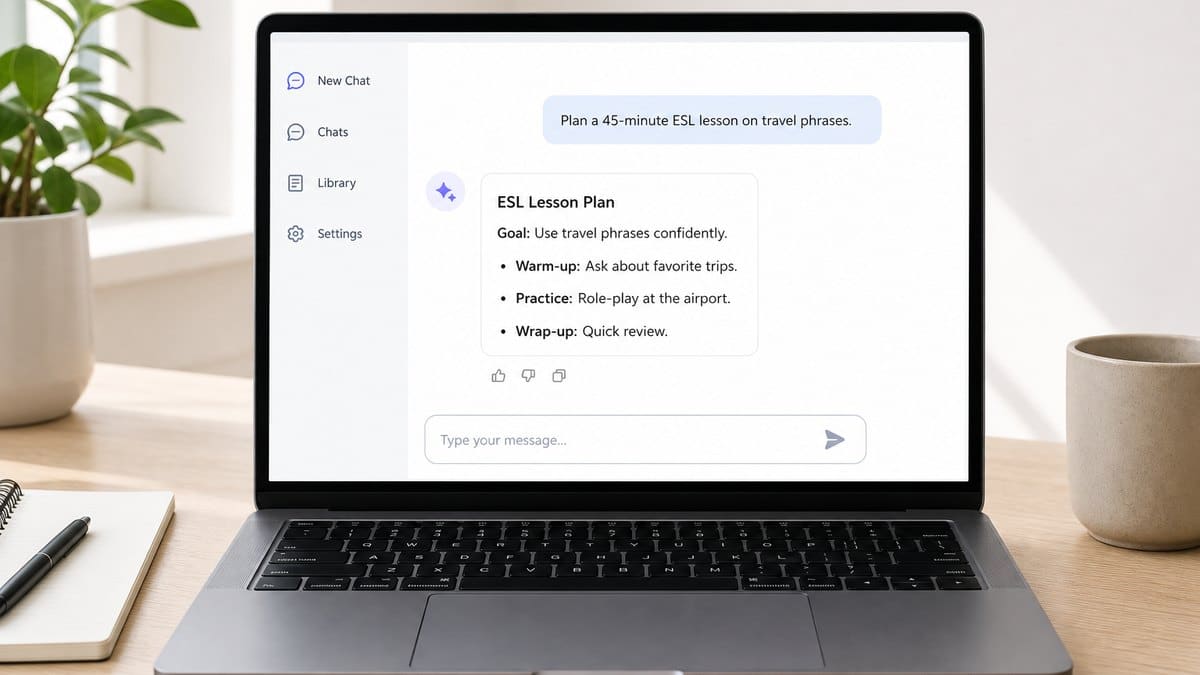
ChatGPT is especially strong for lesson planning: give it the grade, standard, objective, and proficiency levels in your class, and ask for a full plan with a warm-up, guided practice, a speaking task, differentiation, and an exit ticket. Always ask it to build in student talk time, the part of a plan AI most often omits and English Learners most need. See ESL lesson plans for a full walkthrough.
ChatGPT, Claude, and EL-Specific Tools
ChatGPT and Claude are general assistants: excellent at generating materials, not designed specifically for English Learners. For the one thing generated materials cannot do, give every student real speaking practice, an EL-specific tool is the complement. That is where a platform like Telo fits.
Frequently Asked Questions
How do teachers use ChatGPT?
To draft lesson plans, create and differentiate worksheets, write rubrics and assessments, generate discussion and writing prompts, and simplify or translate texts, saving hours of prep. ELL teachers use it most for fast differentiation by proficiency level.
Is ChatGPT good for ESL and ELL teachers?
Yes. It is especially useful for differentiating materials across mixed-proficiency classes, when you give it the grade, proficiency level, and standard. Pair it with a dedicated speaking tool for the practice it cannot provide.
Can elementary teachers use ChatGPT?
Yes, for planning and creating materials. Keep student-facing use teacher-mediated, review outputs for age-appropriateness, and never enter student data.
Is ChatGPT free for teachers?
Yes for verified U.S. K-12 educators: ChatGPT for Teachers is free for them through June 2027. Anyone can also use the Free plan, with usage limits; paid plans add more usage and advanced reasoning models. Claude for Teachers is likewise free for verified U.S. K-12 educators, with a full year of access for those who sign up by June 30, 2027.
Is it safe to use ChatGPT in the classroom?
For teacher prep, yes, with review for accuracy and bias. Protect student privacy: never paste names, IEP details, or scores into a public tool, and follow your district’s AI policy.
Related Resources
- AI Resources for ELL & Bilingual Teachers
- AI Prompts for ELL Teachers
- Gemini for Teachers
- Claude for Teachers
- ESL Lesson Plans
- ELL Worksheets
- AI for Teachers
Conclusion
ChatGPT for teachers is not about replacing your judgment; it is about drafting faster so you spend your time teaching. For ELL educators, the payoff is real differentiation at the speed of a prompt. Master the three-level prompts, keep student data out, review every output, and pair your AI-made materials with the one thing they cannot deliver: individualized speaking practice for every English Learner.
Sources: ACTFL; WIDA Consortium; U.S. Department of Education, Student Privacy.
What a Worksheet Cannot Do
AI has made the material side of teaching remarkably fast: a differentiated worksheet, a leveled reading, a set of speaking prompts, all in the time it takes to write a good prompt. For teachers of English Learners, that is real relief from hours of prep.
But there is one thing no generated document can do: hold a conversation. A worksheet can ask a student to speak; it cannot listen, respond, or adjust. And speaking is exactly the skill English Learners most need and get the least time for, because a full class leaves a single teacher only minutes of individual conversation to go around. The constraint is capacity, not materials.
This is why a growing number of teachers pair their AI-made materials with something that supplies the missing piece, adaptive conversation each student can practice with directly. Telo AI is one example: WIDA-aligned, in English plus Spanish and French.
See how teachers pair AI-made lessons with individual speaking practice for every student: https://mytelo.ai/how-telo-works/
The prompt writes the lesson; the harder half is the talking that turns a lesson into language. The teachers who get the most from AI are the ones who let it handle the materials, then put the freed-up time, and a real practice partner, where students actually acquire English.
Found this guide useful?
Preferred sources show up more often in your Google results, including AI Overviews.