

Estimated reading time: 15 minutes
Task boxes are self-contained work activities, each stored in its own box or bin, that a student completes from start to finish without adult help: everything needed is inside, the materials show what to do, and the end is obvious. In special education they are often placed in a work system, an element of the structured teaching approach developed by the TEACCH Autism Program at the University of North Carolina, so that students practice skills they already know with growing independence. This guide covers what task boxes are, the evidence behind them, how to set up a work system, 24 task box ideas by skill, how to rotate boxes and fade prompts, what data to collect and sample IEP goals.
Table of contents
Executive Summary
Of the 8.2 million students ages 3 to 21 served under IDEA in 2024-25, 15% were served under the autism category. In fall 2024, 35% of autistic students ages 5 (in kindergarten) through 21 spent less than 40% of the school day in general classes and 41% spent 80% or more, according to the U.S. Department of Education’s Office of Special Education Programs (OSEP). Task boxes fit both settings: in one study, students using individual work systems completed tasks more accurately and needed less adult support in both special and general education classrooms.
The evidence sits under visual supports, one of the 28 evidence-based practices identified for autistic learners by the National Clearinghouse on Autism Evidence and Practice (NCAEP), which lists work systems among its examples. Building boxes is the easy part. The work is choosing tasks the student has already learned, fading adult prompts and recording whether independence grows.
Key Takeaways
- Task boxes are for independent practice, not new teaching: teach the skill first, then move it into a box.
- The end must be obvious: an empty tray, a full container, the last slot filled.
- Pair boxes with a work system: what to do, how much, when it is finished and what comes next.
- Prompt from behind and fade quickly so the student relies on the materials, not the adult.
- Rotate and vary materials, keeping mastered boxes for fluency and success.
- Record independence: prompts, tasks completed and time on task.
What Are Task Boxes?
A task box is a container that holds all the materials for one short task with a clear beginning and end, designed so a student can complete it alone.
The TEACCH Autism Program lists “shoebox tasks,” developed by Ron Larsen while working with the TEACCH program, among its teaching materials. It describes them as giving children or adults “who need a high degree of structure” the opportunity “to experience success and build upon that success for greater skill and independence.”
Task Boxes, Work Systems and Structured Teaching
A task box is the task; a work system organizes several of them. Work systems, “an element of structured teaching developed by Division TEACCH,” are “organized sets of visual information that inform a student about participation in work or play areas” (Hume and Odom, 2007). NCAEP’s 2020 review classifies independent work systems under visual supports, with three features: “clear specification of task(s), signals when task is finished, and a cue for the next activity.”
Why Task Boxes Work: The Evidence
Task boxes combine several practices from the 2020 NCAEP report, which reviewed research on autistic learners from birth to 22.
| Practice (NCAEP 2020) | Definition | Role in a task box |
|---|---|---|
| Visual supports | “A visual display that supports the learner engaging in a desired behavior or skills independent of additional prompts” | The box, the work system and any picture directions |
| Task analysis | An activity divided into “small, manageable steps” to assess and teach the skill | Multi-step boxes taught one step at a time |
| Prompting | “Verbal, gestural, or physical assistance” to help a learner acquire or use a skill | Help while the routine is new |
| Time delay | Fades prompts with “a brief delay between the initial instruction and any additional instructions or prompts” | Waiting before helping |
| Reinforcement | A consequence that “increases the likelihood that the learner will use the response/skills in the future” | The preferred activity after the finished bin |
The AFIRM visual supports brief (2024 update) reports that visual supports meet NCAEP’s criteria with 104 single-case and 2 group design studies, from early intervention to young adults, with outcomes that include adaptive and vocational skills. In a single-case study of three students with autism, a work system increased on-task behavior and tasks completed and reduced teacher prompts in classroom and employment settings, with results maintained at a one-month follow-up (Hume and Odom, 2007). A 2009 review names the common mechanism: work systems, self-monitoring and video modeling each emphasize “a shift in stimulus control from continuous adult management to an alternative stimulus.”
This evidence comes from studies of autistic learners; for other students who need structured independent practice, the IEP team decides.
How to Set Up Task Boxes and a Work System
These steps draw on the AFIRM visual supports module and the TEACCH tip on completing work independently.
- Define the work area. AFIRM suggests natural boundaries, furniture, tape on the floor or rugs to mark where an area begins and ends; TEACCH recommends a space with “limited visual distractions and noise.”
- Arrange left to right. Boxes to do on the left or on a shelf, the work surface in front, a finished bin on the right. TEACCH describes the same logic with a two-pocket folder: work to complete on the left, finished work moved to the right.
- Show which tasks and how many. A strip of matching cards (colors, shapes, numbers or pictures) tells the student which boxes to complete, in order.
- Show what comes next. End the strip with a picture of the next activity. TEACCH notes that “knowing what will happen when the schoolwork is finished can increase engagement and reduce anxiety.”
- Use only tasks the student already understands. TEACCH’s first hint for independent work is to “ensure that the individual understands the activities or academic materials.”
- Teach the routine, then step back. AFIRM advises standing behind the learner when prompting, so the student looks at the materials and not the adult, and fading prompts as quickly as possible.
What Makes a Good Task Box
- Everything inside: no materials to fetch.
- One obvious end: the student can see when the task is done.
- Self-explanatory: the materials show what to do, with a picture direction if needed.
- Sturdy and safe: no small parts for students who put objects in their mouths.
- Age-respectful: real-world materials for older students rather than preschool toys.
- Short at first: a few minutes, lengthened as work stamina grows.
24 Task Box Ideas by Skill
These are original examples written for this guide. Adapt the materials to the student’s goals, motor skills and age.
Fine Motor Task Boxes
| Task | Inside the box | Finished when |
|---|---|---|
| 1. Clothespin rim | 10 clothespins and a plastic tub | Every clothespin is clipped to the rim |
| 2. Coin slot | A tray of 10 large tokens and a lid with a slot | The token tray is empty |
| 3. Tong transfer | Tongs, pom-poms and an ice cube tray | Every cup holds one pom-pom |
| 4. Lacing card | A punched card and a knotted lace | The lace reaches the last, colored hole |
Matching Task Boxes
| Task | Inside the box | Finished when |
|---|---|---|
| 5. Photo to photo | 6 photo cards and a board with the same photos | Every photo has its match |
| 6. Object to picture | 5 small objects and a mat with their photos | Every photo is covered |
| 7. Color clips | Colored clips and a card with colored edges | Each clip sits on its color |
| 8. Shape inset | Foam shapes and a board with matching cut-outs | The board is complete |
Sorting Task Boxes
| Task | Inside the box | Finished when |
|---|---|---|
| 9. Color sort | A tray of counting bears and three cups marked with color dots | The bear tray is empty |
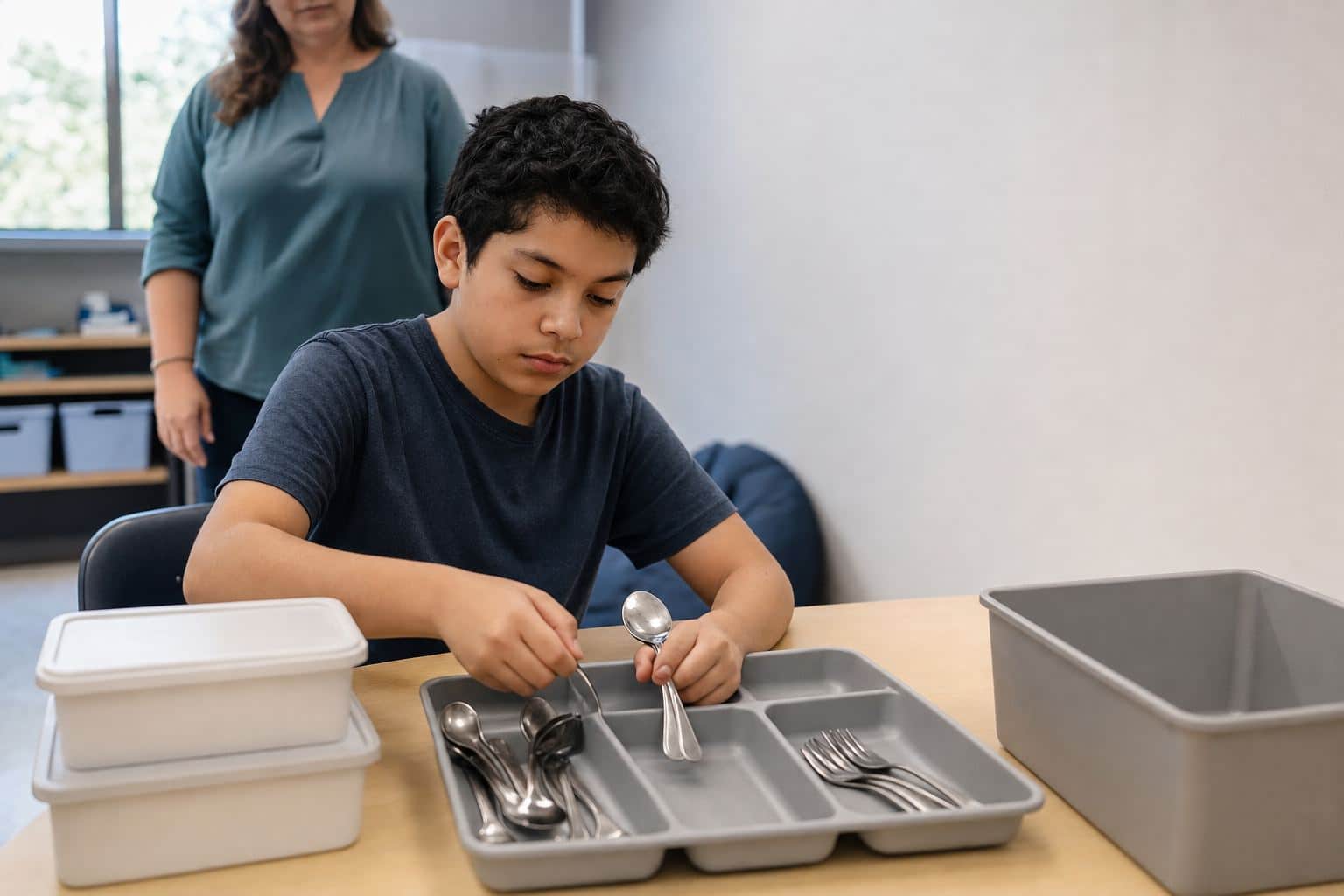
| 10. Utensil sort | A bag of spoons and forks and a divided tray | The bag of utensils is empty |
| 11. Category sort | Food and clothing picture cards, two pockets marked with a picture | All cards are in a pocket |
| 12. Coin sort | A cup of mixed coins and a four-slot tray | The coin cup is empty |
Literacy Task Boxes
| Task | Inside the box | Finished when |
|---|---|---|
| 13. Letter match | Uppercase letter cards and a board with the same letters | Every letter is matched |
| 14. Name build | Letter tiles and a strip with the student’s name | The name is complete |
| 15. Word to picture | Sight word cards and matching picture cards | Every pair is on the mat |
| 16. Story sequence | Four picture cards and a strip numbered 1 to 4 | Every number has a card |
Math Task Boxes
| Task | Inside the box | Finished when |
|---|---|---|
| 17. Count and clip | Dot cards with numerals around the edge, clothespins | Each card has one clip on the right numeral |
| 18. Number line | Tiles 1 to 10 and a 10-space strip | Every space is filled |
| 19. Ten-frame fill | Numeral cards, ten-frames and counters | Each frame matches its card |
| 20. Price match | Price cards and cards showing coins and bills | Every price has its money card |
Vocational and Life Skills Task Boxes
| Task | Inside the box | Finished when |
|---|---|---|
| 21. Nut and bolt assembly | 10 bolts, 10 nuts and a finished cup | The cup holds 10 assembled pairs |
| 22. Envelope stuffing | Folded flyers, envelopes and seal stickers | Five sealed envelopes are in the finished bin |
| 23. Cutlery packets | Forks, spoons, napkins and small bags | Every bag holds one of each |
| 24. Mail sort | Envelopes with colored dots and a slotted organizer | The envelope stack is gone |
Vocational boxes prepare for longer work tasks. Routines such as cooking, laundry and shopping are best taught where they happen; see life skills activities.
Choosing Task Boxes for Each Student
Present levels, not the grade, decide the content. Younger students often start with fine motor, matching and sorting; older students move toward vocational and daily living tasks with real materials. From the first IEP in effect when a student turns 16, the IEP must include postsecondary goals and transition services (34 CFR 300.320(b)), which vocational boxes can support; see transition IEP goals.
How to Rotate Task Boxes and Fade Prompts
A box is ready to rotate out when the student completes it independently across several sessions. Keep most boxes mastered, add one with a skill recently taught at the teaching table, and vary materials so the skill does not depend on one set.
While a new box or routine is being learned, AFIRM’s prompting brief and time delay brief describe procedures for giving and fading help, including these four:
| Procedure | How it works | In a task box |
|---|---|---|
| Least-to-most prompting | At least three levels; the learner first has a chance to respond without prompts, then help increases | Wait, then point, then model, then guide |
| Graduated guidance | The adult starts with a prompt that ensures success and gradually removes it during the activity | Physical help on a multi-step assembly, faded within the session |
| Simultaneous prompting | Cue and controlling prompt given together in teaching sessions; separate probes without prompts | Teach the box with help, then probe it alone |
| Constant time delay | A 0-second delay at first, then, after at least two trials, a fixed wait (typically 3 to 5 seconds) before the prompt | Give the student a few seconds to start before helping |
AFIRM warns that failure to fade prompts “can cause the learner to become prompt dependent.”
Collecting Data on Task Boxes
The two work system studies cited above measured on-task behavior, tasks completed, accuracy and adult prompts. Those four measures fit a one-page sheet:
| Measure | How to record | Example |
|---|---|---|
| Tasks completed | Count boxes finished per session | 4 of 5 boxes |
| Accuracy | Percent of items correct in each box | 9 of 10 utensils in the right slot |
| Prompts | Level of help per box: verbal, gestural, model, physical or independent | Independent on 3 boxes, gestural on 1 |
| Time on task | Duration of continuous work | 12 minutes without an adult nearby |
The prompt levels follow AFIRM’s prompt key (verbal, gestural, model, physical, independent). Probe at least weekly, graph the share of boxes completed independently and use the formats in IEP data collection sheets.
Task Box IEP Goal Examples
An IEP goal targets the skill, such as working independently or assembling a product, not the box. These original examples follow the structure in our guide to functional IEP goals; adapt each criterion from the student’s baseline.
- Independent work routine: By the annual review, given a work system with four mastered tasks, Eli will complete all four and transition to the next scheduled activity with no adult prompts in 4 of 5 sessions, as measured by prompt-level data.
- Work stamina: By the annual review, Maya will work on task boxes for 15 consecutive minutes, from a baseline of 4, with no more than one gestural prompt in 4 of 5 sessions, as measured by duration recording.
- Sorting accuracy: Given a mixed set of 20 utensils, Andre will sort them into a divided tray with 95% accuracy independently in 4 of 5 trials, as measured by permanent product.
- Vocational assembly: Given a picture sequence, Sofia will assemble 10 three-part packets independently in 10 minutes or less in 4 of 5 sessions, as measured by task analysis data.
For autistic students, see also IEP goals for autism.
Common Mistakes to Avoid
- Using task boxes to teach new skills. Teach at the table first; the box is for independent practice.
- Tasks with no visible end. If the student cannot see when it is done, the box invites prompting.
- Standing in front and talking. Prompt from behind and let the materials do the work.
- Never rotating. The same five boxes all year become busywork.
- Preschool materials for teenagers. Use real-world, age-respectful tasks.
- Counting boxes, not independence. Record the prompt level as well as completion.
- Task boxes as the whole program. Independent work is one part of the day.
Recommended Actions
- Set up one work system per classroom that serves students needing structured independent work.
- Build a shared task box library by skill and age, with a card listing contents and the finished cue.
- Train paraprofessionals on prompting from behind and fading, using the free AFIRM modules.
- Adopt one data sheet that records completion, accuracy and prompt level.
- Review rotation monthly and retire boxes the student has mastered.
- Add vocational boxes in middle and high school that connect to transition goals.
Frequently Asked Questions
What are task boxes for special education?
They are containers that each hold one short task, such as sorting utensils, matching letters or assembling nuts and bolts, with all materials inside and an obvious end. Students complete them independently, usually within a work system that shows which tasks to do and what comes next. They are tied to the structured teaching approach of the TEACCH Autism Program and are meant for practicing skills already taught.
What is the purpose of task boxes in special education?
The purpose is independence. A task box lets a student practice a mastered skill without an adult beside them, which builds work stamina, accuracy and the habit of finishing a task and moving on. In one study of individual work systems, students increased on-task behavior and completed more tasks while needing fewer teacher prompts.
How to make task boxes?
Choose a skill the student has already learned, gather every material it needs and put them in a sturdy box with a lid. Make the end visible: an empty tray, a full container or the last slot filled. Add a picture direction if needed, test the box yourself and label it with a color, number or picture that matches a card in the student’s work system.
How to use task boxes in the classroom?
Set up a defined work area with boxes on the left, a finished bin on the right and a strip showing which boxes to do and what comes next. Teach the routine with prompts from behind, fade them quickly, rotate boxes as the student masters them and record completion, accuracy and the level of help each week.
Are task boxes only for students with autism?
No. The research on work systems comes mostly from studies of autistic learners, but any student who benefits from structured, visual, independent practice can use task boxes, including students with intellectual disabilities or developmental delays. The IEP team decides from the student’s present levels, and the tasks should match the student’s age and goals.
Can AI help create task box materials?
An AI tool can suggest task ideas for a skill, list materials or draft picture directions and data sheet headers, which the teacher then checks for safety and age fit. Keep student names and records out of the prompt and follow your district’s rules on approved tools. Our ChatGPT for teachers guide covers safe use.
Related Resources
- Life Skills Activities
- Autism Classroom Setup
- Functional IEP Goals
- IEP Goals for Autism
- IEP Data Collection Sheets
- Transition IEP Goals
Conclusion
Task boxes work when each one holds a skill the student already knows, shows its own end and sits in a work system that says what to do, how much and what comes next. Prompt from behind, fade quickly, rotate boxes and record independence, and they become practice students complete on their own.
Sources: UNC TEACCH Autism Program, Teaching Materials; UNC TEACCH Autism Program, TEACCH Tip #13: Completing Schoolwork or Other Activities Independently at Home; Steinbrenner et al., Evidence-Based Practices for Children, Youth, and Young Adults with Autism, NCAEP (2020); AFIRM, Visual Supports Brief Packet (2024 update); AFIRM, Prompting Brief Packet (2024 update); AFIRM, Time Delay Brief Packet (2024 update); Hume and Odom, Effects of an Individual Work System on the Independent Functioning of Students with Autism (2007); Hume, Plavnick and Odom, Promoting Task Accuracy and Independence in Students with Autism Across Educational Setting Through the Use of Individual Work Systems (2012); Hume, Loftin and Lantz, Increasing Independence in Autism Spectrum Disorders: A Review of Three Focused Interventions (2009); U.S. Department of Education, OSEP, 2024-25 Static Tables (Part B Child Count & Educational Environments). 34 CFR 300.320 is linked where it is cited.
Join the 2027 Special Education Pilot
A task box builds independence only after the skill inside it has been taught and rehearsed many times, and that teaching competes for the same few adults in the room. Telo AI is being adapted for students with IEPs: patient, 1-on-1 practice aligned to each student’s IEP goals, including daily living skills. We are inviting districts to shape it with us in a 2027 pilot.
Apply to pilot Telo AI in your Special Education program
Found this guide useful?
Preferred sources show up more often in your Google results, including AI Overviews.