

Estimated reading time: 15 minutes
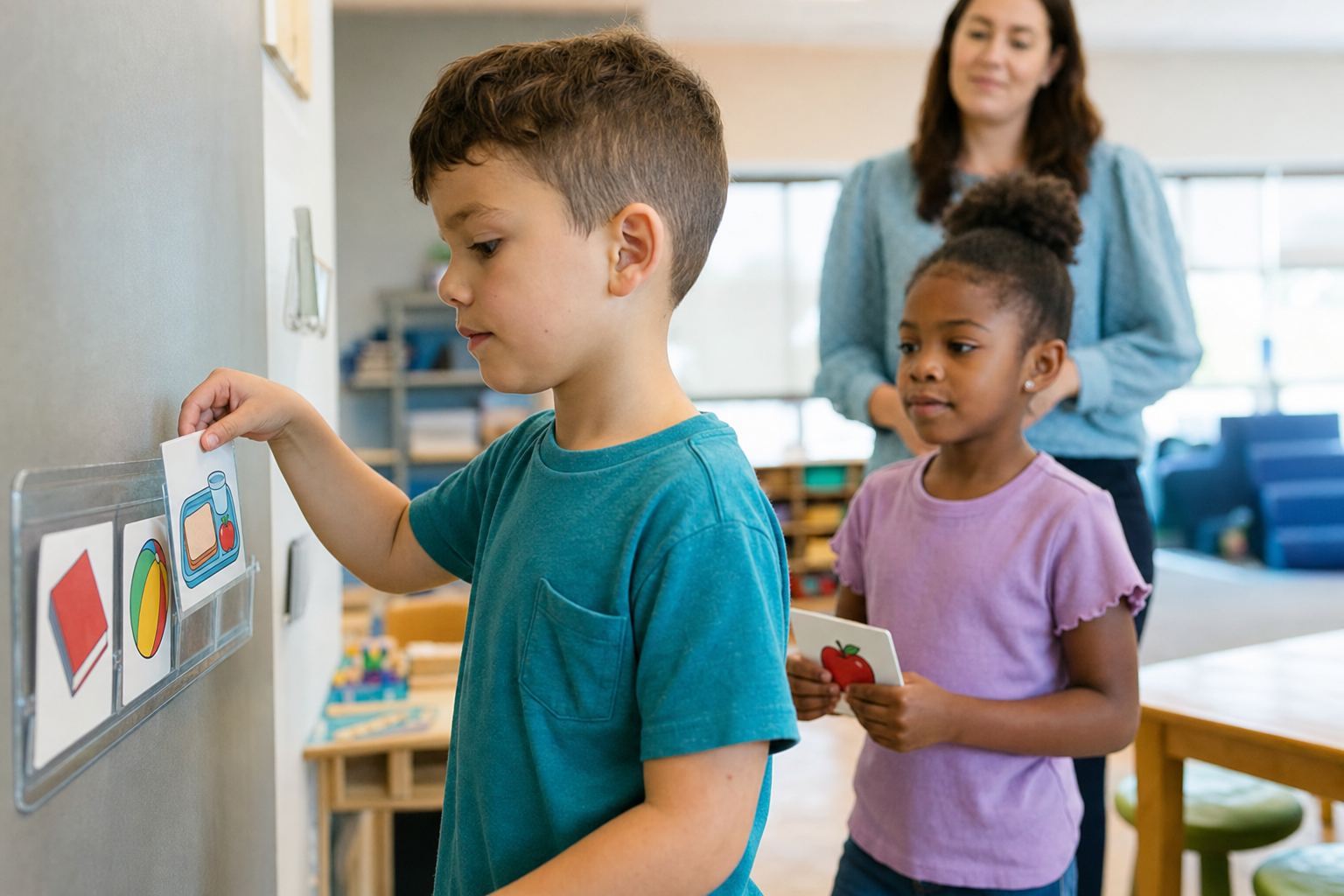
A visual schedule is a sequence of objects, photos, picture symbols or written words that shows a student which activities come next and where to go, so the student can move through the school day with fewer spoken prompts. The National Clearinghouse on Autism Evidence and Practice (NCAEP) counts visual schedules among visual supports, one of 28 evidence-based practices it identified in 2020 for autistic learners from birth to age 22. This guide covers the types of visual schedules, how to make and teach one, five original example schedules, data, the IEP and common mistakes.
Table of contents
Executive Summary
A 2015 review by Knight, Sartini and Spriggs found 31 studies of visual activity schedules with students with autism, 16 of acceptable quality, and its results suggest the schedules can be considered an evidence-based practice, especially when combined with systematic instruction. A 2011 review of 23 studies by Koyama and Wang reported gains in engagement and independent transitions for individuals with autism and intellectual disabilities.
The schedule must be taught. In an elementary resource classroom, four students with autism reached criterion once staff taught a picture schedule with graduated guidance; performance held with the schedule book and dropped without it (Bryan and Gast, 2000). Adult prompts fade; the schedule stays.
Key Takeaways
- A visual schedule shows where to be and when, in a form the student understands.
- Types differ by form and scope: objects, photos, symbols or words; a day, part of a day, two steps or one task.
- Schedule use is a skill to teach: prompt from behind, name the place, fade prompts quickly.
- Fade the adult, not the schedule.
- Measure independent schedule checks, prompt levels and time to start the next activity.
- Write it into the IEP and train every adult to use it the same way.
What Is a Visual Schedule?
A visual schedule is a support that communicates the order of upcoming activities through objects, photographs, icons or words, telling a student where to be and when.
That definition comes from the Indiana Resource Center for Autism, which notes that spoken directions are fleeting while a schedule stays available. The AFIRM modules, free training built on the NCAEP review, list three kinds: a classroom schedule posted for all students, an individual schedule that presents one learner’s day, and a first/then schedule that sequences two events. Research also says activity schedule: in a 1993 study, four boys with autism learned to follow photo albums of after-school activities, then changed activities without prompts (MacDuff, Krantz and McClannahan).
The transition area and the five design decisions for an individual schedule are covered in our autism classroom setup guide; this page goes further into types, examples, teaching, data and the IEP.
What the Research Says About Visual Schedules
Visual schedules are backed by several reviews and single-case studies. NCAEP counted 65 articles on visual supports in its 2020 review, and AFIRM notes that graphic organizers, for example, do not have as strong an evidence base as individual visual schedules.
| Study | Students | Finding |
|---|---|---|
| Dettmer et al. (2000) | Two elementary-age boys with autism | Time from instruction to starting the next activity dropped with visual supports |
| Bryan and Gast (2000) | Four students with autism | On-task and on-schedule behavior held with the schedule book, dropped without it |
| Koyama and Wang (2011) | 23 studies, autism and intellectual disabilities | Most frequent outcomes: engagement and on-task behavior, then independent transitions and self-scheduling |
| Knight, Sartini and Spriggs (2015) | 31 studies, autism, preschool through adulthood | Can be considered evidence-based, especially with systematic instruction |
| Zimmerman, Ledford and Barton (2017) | Three preschoolers with challenging behavior, no autism or intellectual disability diagnosis | Engagement and behavior reached levels similar to peers; schedule use did not generalize to new contexts |
Most of this research involves autistic students or students with intellectual disabilities.
Types of Visual Schedules
Visual schedules differ in form, what each item looks like, and in scope, how much of the day they show. The forms and lengths follow AFIRM; the examples are original.
| Type | What it shows | School example |
|---|---|---|
| Object schedule | An object used in the activity, or one that stands for it | A cup handed over before snack |
| Photo schedule | Photos of real places or activities | The library door |
| Picture symbol schedule | Drawn icons, often with the word underneath | A “gym” symbol |
| Written schedule | Words or phrases, as a list | Class periods on an index card |
| Classroom schedule | The day for all students, posted centrally | A wall chart by the door |
| Individual schedule | One student’s activities, from three or four items to a full day | A morning strip, then an afternoon strip |
| First/then schedule | Two events in order | First reading group, then blocks |
| Mini-schedule | The steps inside one routine | The bathroom routine |
| Technology-based schedule | Any of these on a tablet or phone | A photo sequence on a school tablet |
Choose the form a student understands even on a stressful day; the Indiana Resource Center for Autism suggests an object, such as a toy block, for a concrete learner.
Mini-Schedules for One Task
A mini-schedule shows the steps of one routine, what AFIRM calls visual instructions: visually organizing an activity or task. Write the steps as a task analysis first, then turn each step into a picture or word. Our task analysis examples show how to size the steps.
First-Then Boards and When to Move Beyond Them
A first-then board is the shortest visual schedule, and the first-then section of our autism classroom setup guide explains how to introduce one. Once a student follows two steps reliably, add a third (“first, then, next”) and build toward three or four items, the next length in AFIRM’s list. When the “then” square holds a reward earned with tokens, the board becomes a token board.
How to Make a Visual Schedule
Making a visual schedule means matching it to one student and planning how it will be taught and faded. These steps draw on AFIRM and the National Center for Pyramid Model Innovations (NCPMI), funded by the U.S. Department of Education’s Office of Special Education Programs:
- Start with one hard part of the day. AFIRM suggests a schedule when a student struggles to move between areas, forgets what comes next or shows disruptive behavior at transitions. Take baseline data first.
- Make it answer four questions, which NCPMI lists: What am I supposed to be doing? How do I know that I am making progress? How do I know when I am done? What will happen next?
- Choose the form and length, from one item to a full day.
- Decide how the student marks progress: carrying a card to match at the destination, moving it to a “finished” pocket, or checking it off (AFIRM).
- Use the schedule the same way in every setting (AFIRM), and involve the student, for example with photos of the student doing each activity (NCPMI).
- Plan for changes with a change card; AFIRM’s template has two parts, “Instead of” and “We will be.”
- Write the teaching and fading plan before the first day.
Visual Schedule Examples for School
These five schedules are original examples about fictional students; adapt them to each student.
Example 1: A School Day in an Elementary Special Class
Felix, a second grader, uses photo cards with the word under each, in morning and afternoon strips. A name card cues him to check it; he carries the top card to a matching pocket.
| Time (for staff) | Card | Where Felix goes |
|---|---|---|
| 8:15 | Arrival | Cubby, then breakfast table |
| 8:40 | Morning meeting | Rug |
| 9:00 | Reading group | Teacher table |
| 9:40 | Work time | Independent work desk |
| 10:10 | Recess | Playground |
| 10:30 | Math | Teacher table |
| 11:15 | Speech | Speech-language pathologist’s room |
| 11:45 | Lunch | Cafeteria |
| 12:20 | Music | Music room, with his grade 2 class |
Example 2: Morning Arrival Routine in Kindergarten
Ruby flips each photo of a left-to-right mini-schedule above her cubby when the step is done.
| Step | Photo | Done when |
|---|---|---|
| 1 | Coat and backpack on hook | Both are hanging |
| 2 | Folder in the blue bin | Folder is in the bin |
| 3 | Breakfast at the round table | Tray is empty |
| 4 | Trash in the can | Table spot is clear |
| 5 | Name photo on the “here” board | Photo is on the board |
| 6 | Puzzle at the table | Chime rings for circle |
Example 3: Bathroom Routine Mini-Schedule
AFIRM’s parent guide lists going to the bathroom among activities a schedule can support. Elijah, a first grader who already uses the toilet, carries symbol cards on a ring. Toilet training and any health question are planned with the family, the IEP team and the school nurse, under district privacy and personal care procedures.
| Step | Card |
|---|---|
| 1 | Close and lock the stall door |
| 2 | Pants and underwear down |
| 3 | Sit on the toilet |
| 4 | Use toilet paper |
| 5 | Pants and underwear up |
| 6 | Flush |
| 7 | Wash and dry hands |
| 8 | Walk back to class |
Example 4: Preschool Center Time
Camila, age 4, picks three centers from a choice board and builds her own first-then-next strip. NCPMI notes that visual schedules show a clear beginning, middle and end.
| Part | What Camila does |
|---|---|
| Choose | Puts three center photos on her strip |
| First | Blocks, until the chime |
| Then | Moves the blocks photo to “all done,” goes to the art table |
| Next | Same steps, then the book corner |
| All done | Clean-up song, then the rug |
Example 5: A Middle School Written Schedule
Nadia, a seventh grader who reads fluently, keeps a schedule card in her binder and checks off each class after the bell; her homeroom teacher writes the day’s changes on the last line.
| Period | Class and room | Bring |
|---|---|---|
| 1 | Science, room 214 | Lab notebook |
| 2 | Math (co-taught), room 110 | Calculator |
| 3 | English, room 118 | Novel |
| 4 | Lunch | Lunch card |
| 5 | Study skills, room 102 | Planner |
| 6 | Physical education, gym | Gym clothes |
| Changes today | Written by homeroom teacher | |
How to Teach a Student to Use a Visual Schedule
Students learn to use a visual schedule through direct teaching; NCPMI calls following a schedule “a skill that children need to learn.” AFIRM’s steps are:
- Stand behind the student when prompting, so the student looks at the schedule, not the adult.
- Place the schedule item in the student’s hand and name only the place (“Library”).
- Guide the student to the activity and prompt them to put the item in its place.
- Keep the student in the activity until the next cue, and repeat until the sequence is independent.
Studies taught schedule use with graduated guidance (MacDuff and colleagues; Bryan and Gast) or constant time delay (Zimmerman and colleagues). For prompt order and step-down rules, see the prompt hierarchy.
Fading Prompts While the Schedule Stays
AFIRM says to fade prompts as quickly as possible once the student meets criterion, so the student relies on the schedule rather than on adults. The schedule itself stays: when Bryan and Gast removed the schedule book, performance dropped. After independent use, the team can change the form or length, or move toward self-management, in which, as NCAEP defines it, learners monitor and record their own behavior; Nadia copying her own schedule is an example. Teach the schedule in each new setting, since the preschoolers in Zimmerman and colleagues did not use theirs in new contexts.
Teaching Flexibility With Change Cards
A change card tells a student in advance that an activity is replaced: “Instead of music, we will be at the assembly,” with both pictures. Practice planned changes on calm days.
Visual Schedule Data
Visual schedule data show whether the student uses the schedule without adults. Record the most intrusive prompt at each transition (AFIRM’s form has a code for a prompt to use the visual support) and, where useful, latency to start the next activity, as in Dettmer and colleagues. In this original sample for Felix, codes follow our prompt hierarchy page (I = independent, G = gestural, VB = verbal, PP = partial physical):
| Transition | Mon | Tue | Wed | Thu | Fri |
|---|---|---|---|---|---|
| To morning meeting | G | G | I | I | I |
| To reading group | VB | G | G | I | I |
| To recess | PP | G | G | G | I |
| Independent checks | 0 of 3 | 0 of 3 | 1 of 3 | 2 of 3 | 3 of 3 |
If progress stalls, AFIRM suggests checking staff training, the goal’s definition, the time devoted, the fit of the support and whether materials motivate the student. More formats are in IEP data collection sheets.
Visual Schedules in the IEP
A visual schedule can appear in an IEP as a supplementary aid, as an assistive technology device and in the annual goals.
- Supplementary aids and services enable a student to be educated with nondisabled peers to the maximum extent appropriate (34 CFR 300.42). The IEP states them, along with supports for school personnel such as training aides to prompt from behind (34 CFR 300.320(a)(4)).
- Assistive technology: the team must consider whether the student needs it (34 CFR 300.324(a)(2)(v)), and the Department of Education’s January 2024 guidance names visual schedules and calendars among items that may be considered assistive technology. See assistive technology for students with disabilities.
- Goals must be measurable (300.320(a)(2)) and can target schedule use itself.
These goals are original examples; more are in IEP goals for autism.
- Schedule use: By the annual review, given his name card at each transition, Felix will take the next card, go to the matching area and place the card in its pocket within 1 minute without adult prompts in 9 of 10 transitions on 4 of 5 consecutive days, as measured by schedule-use data.
- Self-management: By the annual review, Nadia will copy her daily class schedule each morning and check off each period, with no more than one adult reminder per day, on 9 of 10 school days, as measured by a teacher checklist.
Common Mistakes to Avoid
- A wall schedule only, for students who need their own.
- Pictures chosen for a good day, which the student cannot read when stressed.
- Adults doing the schedule, carrying the cards and narrating every move.
- Removing the schedule once the student seems independent.
- No plan for changes, so the first fire drill undoes weeks of progress.
- Different pictures in each room, including specials and general education.
- No prompt data, so nobody knows who is following the schedule.
Recommended Actions
- Adopt one picture set and one prompt key across classrooms and buildings.
- Train paraprofessionals with the free AFIRM visual supports module.
- Write each schedule into the IEP with staff training and a measurable goal.
- Send schedules with students to general education classes, specials and lunch.
- Review schedule data monthly and set dates to fade prompts.
- Share the pictures with families who want to use them at home.
Frequently Asked Questions
What is a visual schedule in the classroom?
In a classroom, a visual schedule is a posted or portable sequence of pictures, objects or words showing the order of the day’s activities and where each happens. A classroom schedule serves every student; an individual schedule shows one student’s day in a form that student understands. Students check it at each transition instead of waiting to be told.
Are visual schedules evidence-based?
Yes, for autistic students. NCAEP’s 2020 review lists visual supports, which include visual schedules, as an evidence-based practice from birth to age 22, and a 2015 review suggested that visual activity schedules can be considered an evidence-based practice, especially when taught systematically. A 2011 review also supports activity schedules for individuals with intellectual disabilities. Research on other groups is thinner.
Are visual schedules considered assistive technology?
They can be. IDEA defines an assistive technology device as any item used to increase, maintain or improve a child’s functional capabilities (34 CFR 300.5), and the Department of Education’s January 2024 guidance says items like visual schedules and calendars, not only electronic devices, may be considered assistive technology. The IEP team decides whether the student needs one and records it in the IEP.
Do visual schedules help students with ADHD?
They may, but most research on visual schedules involves students with autism or intellectual disabilities. One preschool study found that children with challenging behavior and no autism diagnosis learned to use schedules and became more engaged. For a student with ADHD, the IEP or 504 plan team decides whether a written schedule, checklist or planner is needed and checks its effect with data.
Why are visual schedules important for preschoolers?
NCPMI notes that young children often do not respond to adult requests because they do not understand what is expected, and that the result is often challenging behavior. A visual schedule shows the beginning, middle and end of a routine in pictures, and NCPMI says children as young as 12 months can benefit from such reminders.
What is the difference between a visual schedule and a social story?
A visual schedule shows what happens and in what order. A social story, a kind of social narrative, describes a social situation to highlight what matters in it and offer examples of how to respond, as NCAEP defines social narratives. They work together: a story explains a fire drill; a change card puts it on the schedule. See our guide to social stories.
Related Resources
- Autism Classroom Setup
- Token Board
- Prompt Hierarchy
- Task Analysis Examples
- IEP Goals for Autism
- Social Stories
Conclusion
A visual schedule turns the school day into something a student can check, not just hear. Choose a form the student understands on a hard day, teach it, fade the adult quickly, keep the schedule and record who is really following it.
Sources: Steinbrenner et al., Evidence-Based Practices for Children, Youth, and Young Adults with Autism, NCAEP (2020); Sam and AFIRM Team, Visual Supports Brief Packet (updated 2024); Hume, Structured Teaching Strategies: Visual Schedules in the School Setting, Indiana Resource Center for Autism; NCPMI, How to Use Visual Schedules to Help Your Child Understand Expectations; Knight, Sartini and Spriggs, Evaluating Visual Activity Schedules as Evidence-Based Practice for Individuals with Autism Spectrum Disorders (2015); Koyama and Wang, Use of Activity Schedule to Promote Independent Performance of Individuals with Autism and Other Intellectual Disabilities (2011); Bryan and Gast, Teaching On-Task and On-Schedule Behaviors to High-Functioning Children with Autism via Picture Activity Schedules (2000); MacDuff, Krantz and McClannahan, Teaching Children with Autism to Use Photographic Activity Schedules (1993); Dettmer et al., The Use of Visual Supports to Facilitate Transitions of Students with Autism (2000); Zimmerman, Ledford and Barton, Using Visual Activity Schedules for Young Children with Challenging Behavior (2017); U.S. Department of Education, Myths and Facts Surrounding Assistive Technology Devices and Services (January 2024). Sections of 34 CFR Part 300 are linked where they are cited.
Join the 2027 Special Education Pilot
A visual schedule shows a student what comes next, but each routine on it, from arrival to a change of plan, is learned through many repetitions with patient support, and adult 1-on-1 time is scarce. Telo AI is being adapted for students with IEPs: patient, 1-on-1 practice aligned to each student’s IEP goals and pace, including daily living skills. We are inviting districts to shape it with us in a 2027 pilot.
Apply to pilot Telo AI in your Special Education program
Found this guide useful?
Preferred sources show up more often in your Google results, including AI Overviews.