
Estimated reading time: 15 minutes
Universal design for learning (UDL) is a framework for designing lessons, materials and assessments with flexible options from the start, so that all students, including students with disabilities, can access learning and show what they know. Federal law defines it as “a scientifically valid framework for guiding educational practice” that provides flexibility in how information is presented, how students respond or demonstrate knowledge and skills, and how students are engaged, and that reduces barriers while maintaining high achievement expectations for all students (20 U.S.C. 1003(24), the definition the Every Student Succeeds Act adopts in 20 U.S.C. 7801(51)). This guide covers CAST’s UDL Guidelines 3.0 and their three principles, classroom examples, how UDL differs from accommodations, modifications and specially designed instruction, UDL in co-taught classes, a lesson plan outline, what federal law requires and what the research says.
Table of contents
Executive Summary
In fall 2024, 68% of students ages 5 (in kindergarten) through 21 served under the Individuals with Disabilities Education Act (IDEA) spent 80% or more of the school day in regular classes, according to the U.S. Department of Education. UDL is a way to design those classes for the full range of learners before the lesson starts, instead of retrofitting it student by student.
CAST, the nonprofit that created UDL, released UDL Guidelines 3.0 on July 30, 2024, the fifth version since 2008 and the current one as of October 2026. In K-12 law, ESSA refers to UDL mostly in its assessment provisions, and the research base is promising but uneven, so districts get the most from UDL when they implement it deliberately and measure it.
Key Takeaways
- UDL designs the lesson, not the student: options are built in for everyone from the start.
- Three principles: engagement (the why of learning), representation (the what) and action and expression (the how).
- UDL Guidelines 3.0 (July 2024) are current; they add a focus on identity and on barriers rooted in bias.
- UDL does not replace the IEP. Accommodations, modifications, assistive technology and specially designed instruction are still individual decisions.
- ESSA uses UDL in assessment rules: state tests are developed, to the extent practicable, with UDL principles.
- The evidence is promising but mixed, so plan, document and measure your implementation.
What Is Universal Design for Learning?
Universal design for learning is an approach to instructional design that anticipates the variability among learners and builds options into goals, methods, materials and assessments so that barriers are reduced for everyone.
CAST was founded in 1984 as the Center for Applied Special Technology, to use new technologies to improve education for students with disabilities, and it developed UDL from that work. CAST describes UDL as changing the design of the environment “rather than to situate the problem as a perceived deficit within the learner.” The stated goal of UDL is learner agency that is “purposeful & reflective, resourceful & authentic, strategic & action-oriented.”
CAST also warns that its guidelines are “not meant to be a prescription or a checklist.” They are suggestions a teacher applies to a specific learning goal and the barriers present in a specific class.
The UDL Guidelines 3.0: Three Principles and Nine Guidelines
The CAST UDL Guidelines 3.0, released July 30, 2024, organize UDL into three principles, each with three guidelines arranged in three rows: access, support and executive function.
| Principle | Access row | Support row | Executive function row |
|---|---|---|---|
| Design Multiple Means of Engagement (the why of learning) | Welcoming Interests & Identities (Guideline 7) | Sustaining Effort & Persistence (Guideline 8) | Emotional Capacity (Guideline 9) |
| Design Multiple Means of Representation (the what of learning) | Perception (Guideline 1) | Language & Symbols (Guideline 2) | Building Knowledge (Guideline 3) |
| Design Multiple Means of Action & Expression (the how of learning) | Interaction (Guideline 4) | Expression & Communication (Guideline 5) | Strategy Development (Guideline 6) |
Each guideline has numbered considerations; for example, Consideration 4.2 is to optimize access to accessible materials and assistive and accessible technologies and tools. CAST grounds UDL in three broad brain networks: affective networks that motivate and engage learning, recognition networks that perceive information and strategic networks that plan and act.
What Changed in UDL Guidelines 3.0
Version 3.0 is CAST’s fifth iteration, after 1.0 (2008), 2.0 (2011), 2.1 (2014) and 2.2 (2018). The update began in 2020 and, in CAST’s words, emphasizes “addressing barriers rooted in biases and systems of exclusion for learners with and without disabilities.” It treats learners’ identities as part of variability, values interdependence and collective learning, and shifts to learner-centered language so that teachers and students can both apply the guidelines. Several guidelines were renamed: Recruiting Interest became Welcoming Interests & Identities, and Physical Action became Interaction. CAST’s own UDL overview page still used the 2.2 names in October 2026.
Universal Design for Learning Examples by Principle
A UDL lesson keeps one clear goal and offers several routes to it, and the examples below show what that looks like for each principle. They are original examples written for this guide; adapt them to your students and content.
| Principle | Elementary example (grade 3 reading) | Secondary example (grade 9 biology) |
|---|---|---|
| Engagement | Students choose one of two texts on the same topic, see the goal on a short checklist and talk with a partner before writing | Students apply the concept to a local problem they pick, work in teams with set roles and get feedback at two checkpoints |
| Representation | Key words are taught with pictures; the text is read aloud and available digitally with text-to-speech | The same process is shown as a diagram, a captioned short video and an annotated text, with the key pattern highlighted |
| Action and expression | Students show understanding by writing, drawing and labeling, or recording a short explanation | Students submit a lab report, a labeled slide set or a recorded explanation, scored on the same rubric, with a planning checklist |
In UDL Guidelines 3.0 terms, these examples draw on choice and autonomy (7.1), feedback (8.5), vocabulary (2.1), multiple media (2.5), multiple media for communication (5.1) and organizing information (6.3).
UDL vs Accommodations vs Modifications vs Specially Designed Instruction
UDL designs options for a whole class in advance, while accommodations, modifications and specially designed instruction (SDI) are individual decisions written into a student’s IEP or Section 504 plan.
| UDL | Accommodations | Modifications | SDI | |
|---|---|---|---|---|
| For whom | All students in the class | One student with a disability | One student with an IEP | One student with an IEP |
| What changes | Options in presentation, response and engagement | How the student accesses content or shows learning; expectations stay the same | What the student is expected to learn | The content, methodology or delivery of instruction |
| Basis | 20 U.S.C. 1003(24) | 34 CFR 300.320(a)(4), (a)(6); Section 504 | 34 CFR 300.320(a)(4) | 34 CFR 300.39(b)(3) |
| Where written | Lesson plans, curriculum | IEP or 504 plan | IEP | IEP |
The Council of Chief State School Officers (CCSSO) Accessibility Manual (2021) says accommodations “do not reduce expectations for learning,” while modifications “change, lower, or reduce state-required learning expectations.” SDI adapts instruction to meet the unique needs that result from the student’s disability (34 CFR 300.39(b)(3)). The distinctions are developed in our guides to accommodations vs modifications and specially designed instruction examples.
A well-designed lesson still leaves individual needs. The U.S. Department of Education’s January 2024 guidance on assistive technology gives the example of software with good contrast and text size that a student who is blind still cannot use without a screen reader. Our guide to assistive technology for students with disabilities covers that individual layer.
UDL in Co-Taught Classes and the High-Leverage Practices
In a co-taught class, UDL gives the general and special education teachers a shared plan for the whole class, so that each one’s time can go to the students who need targeted instruction.
The second edition of the high-leverage practices for students with disabilities (CEC and CEEDAR Center, 2024) connects the two. Its description of HLP 19 states: “Guided by the Universal Design for Learning (UDL) instructional design framework and equity lens, educators select and implement assistive (AT) and instructional technologies,” and the book notes that ESSA and CAST promote UDL as a design framework that removes unnecessary barriers. The CEC and CEEDAR leadership guide for HLP 1 asks leaders to provide common time for team planning and co-planning, where co-teachers can design UDL options together. In station teaching, for example, one station can present the content in a different format while the special educator teaches a small group. See co-teaching models and high-leverage practices.
How to Plan a UDL Lesson: A Lesson Plan Outline
A UDL lesson plan starts from a clear goal, names the barriers students are likely to meet, and plans options for engagement, representation and action and expression before the lesson. The outline below is an original example for a grade 6 science lesson on the water cycle.
| Plan section | What to write | Example |
|---|---|---|
| 1. Goal | The learning goal, separate from how students will show it | Explain how evaporation, condensation and precipitation move water |
| 2. Likely barriers | What could block access, effort or expression | Text above some reading levels, new vocabulary, heavy writing load, students new to English |
| 3. Engagement | Relevance, choice, collaboration, feedback | Open with why the playground puddle disappears; choose a partner or work alone; goal checklist |
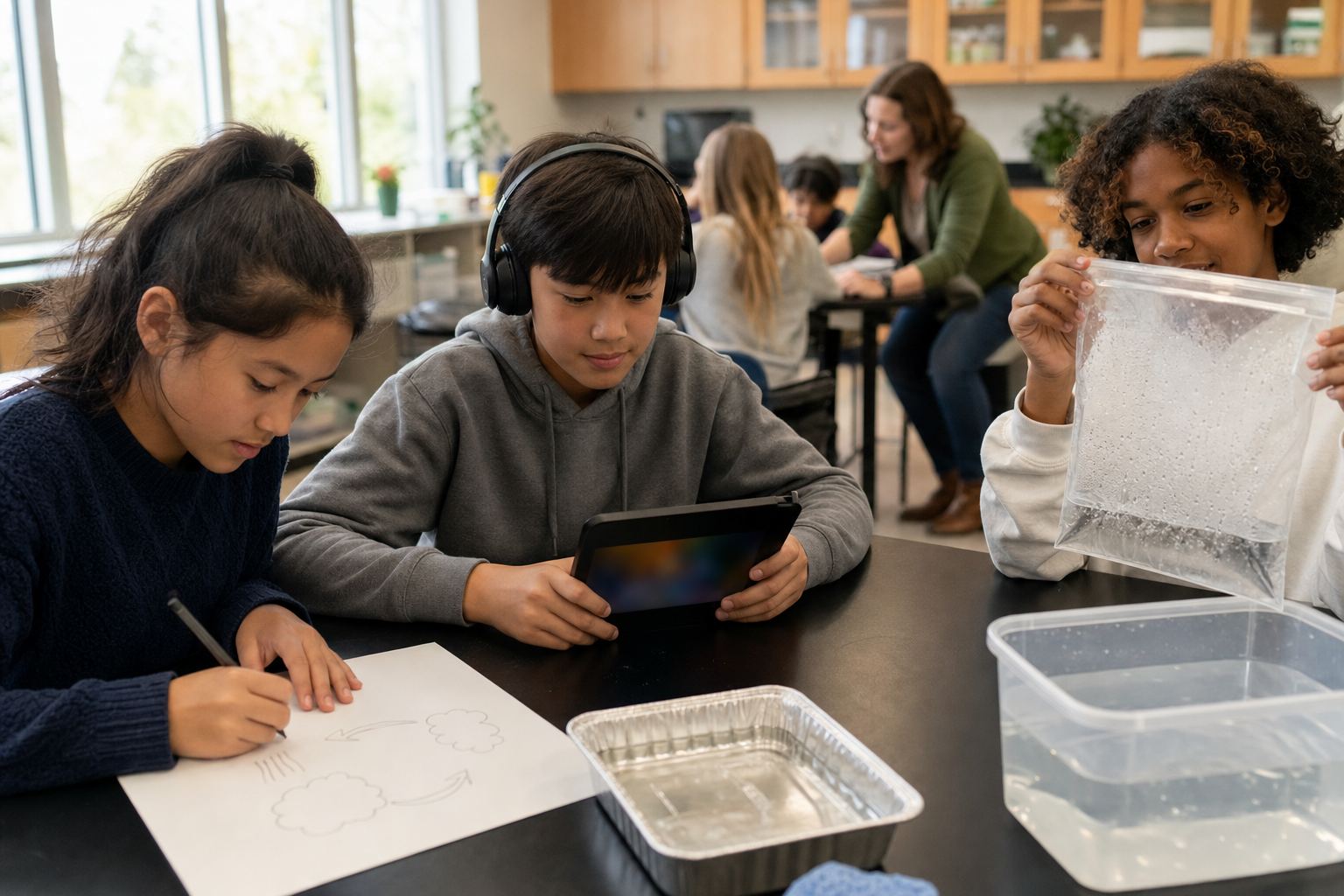
| 4. Representation | Several ways to take in the content | Demonstration with a sealed bag of warm water, labeled diagram, captioned video, digital text, picture vocabulary cards |
| 5. Action and expression | Several ways to show the goal | Labeled diagram, short paragraph or one-minute recorded explanation |
| 6. Assessment | A rubric tied to the goal, not to the format | Three criteria: each process named, explained and linked to the next |
| 7. Individual supports | IEP accommodations and SDI that still apply | One student’s speech-to-text; a small group with the special educator |
| 8. Reflection | Which barriers remained and what to change | Note who chose which option and how they did |
What Federal Law Says About Universal Design for Learning
Federal law defines universal design for learning in the Higher Education Act (20 U.S.C. 1003(24), added by the Higher Education Opportunity Act of 2008) and uses it in the Every Student Succeeds Act (ESSA) mainly for assessments, as of October 2026.
- State assessments must be developed, to the extent practicable, using the principles of UDL (20 U.S.C. 6311(b)(2)(B)(xiii); 34 CFR 200.2(b)(2)(ii)).
- Alternate assessments for students with the most significant cognitive disabilities incorporate UDL principles to the extent feasible (34 CFR 200.6(d)(6)); see our guide to alternate assessment.
- ESSA Title IV, Part A lists helping districts use technology “consistent with the principles of universal design for learning” among state activities (20 U.S.C. 7114).
- IDEA uses “universal design,” not UDL. 34 CFR Part 300 never uses the term universal design for learning; it defines universal design by reference to the Assistive Technology Act (34 CFR 300.44) and requires states to use universal design principles in developing and administering assessments, to the extent possible (34 CFR 300.160(g)).
Universal design is “a concept or philosophy for designing and delivering products and services that are usable by people with the widest possible range of functional capabilities” (29 U.S.C. 3002(18)). UDL, by contrast, is defined as a framework for guiding educational practice.
What the Research Says About UDL
Research on UDL shows promise for access and engagement, but reviews find mixed effects on achievement and inconsistent ways of implementing and reporting UDL.
- Ok, Rao, Bryant and McDougall (2017), reviewing 13 studies in pre-K to grade 12, found that UDL-based instruction has the potential to increase engagement and access to the general curriculum for students with disabilities, with mixed results and effect sizes from small to large.
- Capp (2017), a meta-analysis of 18 studies published from 2013 to 2016, reported results suggesting that UDL improves the learning process for all students, while its impact on educational outcomes had not been demonstrated.
- Zhang, Carter, Greene and Bernacki (2024), synthesizing 32 pre-K-12 studies published from 1999 to 2023, noted ongoing critiques of UDL’s definition, implementation and evidence, and found a lack of explicit alignment between UDL checkpoints and the interventions studied.
CAST, for its part, states that a growing body of research shows UDL benefits learners. For districts, the practical lesson is to name which guidelines a lesson uses and to collect data on results.
Funding and Staffing
IDEA Part B offers three funding routes that can support UDL-related work.
- IDEA Part B may pay for supplementary aids and services provided in a regular class under a student’s IEP even if nondisabled students also benefit (34 CFR 300.208(a)(1)).
- State-level Part B funds may support technology with universal design principles and assistive technology devices (34 CFR 300.704(b)(4)(v)).
- Coordinated early intervening services (up to 15% of a district’s Part B funds) may pay for professional development that helps teachers deliver scientifically based academic and behavioral interventions to K-12 students not identified for special education (34 CFR 300.226).
Staffing also matters: 45 states reported special education teacher shortages in 2024-25 (Learning Policy Institute, 2026).
Common Mistakes District Leaders Make
- Treating the guidelines as a checklist. CAST says they are not one.
- Offering choices without a clear goal. Options serve a goal; they do not replace it.
- Using UDL to skip individual decisions. The IEP still sets accommodations, AT and SDI.
- Training on old versions. Some pages, including CAST’s own overview, still show 2.2 names.
- Equating UDL with technology. A printed diagram and a partner talk are UDL options too.
- No planning time for co-teachers. Shared design needs shared time.
- Never measuring. Without data, a district cannot tell whether UDL changed anything.
Recommended Actions
- Adopt UDL Guidelines 3.0 as the district reference and retire 2.2 materials.
- Add a barriers-and-options section to the district lesson plan template.
- Start with a few guidelines tied to a district priority, such as vocabulary or feedback.
- Schedule common planning time for co-teaching pairs.
- Collect simple data on engagement and results in pilot classes.
- Check that IEP supports still reach students in UDL classrooms.
Questions District Leaders Should Ask
- Which UDL Guidelines version do our training materials use?
- Do our lesson plans name barriers and options, or only activities?
- Do co-teachers have common planning time each week?
- How do we know whether UDL changed engagement or results in our pilot classes?
Frequently Asked Questions
What is universal design for learning?
Universal design for learning (UDL) is a framework for designing instruction with flexible options for how information is presented, how students respond and how they are engaged, so barriers are reduced for all learners while expectations stay high. Federal law defines it in 20 U.S.C. 1003(24), and CAST publishes the UDL Guidelines, version 3.0 since July 2024.
What are the 3 principles of universal design for learning?
The three principles are multiple means of engagement (the why of learning), multiple means of representation (the what of learning) and multiple means of action and expression (the how of learning). In CAST’s UDL Guidelines 3.0, each principle has three guidelines, from access to support to executive function, and each guideline has more specific considerations.
Who created universal design for learning?
CAST created universal design for learning. The nonprofit was founded in 1984 as the Center for Applied Special Technology to use technology to improve education for students with disabilities, and it developed UDL from that work. CAST published the first UDL Guidelines in 2008 and released version 3.0 on July 30, 2024.
What is the purpose of universal design for learning?
The purpose of UDL is to design learning environments that are accessible and challenging for every learner, so that barriers are removed in the design rather than treated as deficits in the student. CAST states the goal as learner agency that is purposeful and reflective, resourceful and authentic, strategic and action-oriented.
How do you use universal design for learning in the classroom?
Start with one clear learning goal, list the barriers your students are likely to meet, then plan options: ways to engage, several formats for the content and several ways to show learning, all scored against the same goal. Keep IEP supports in place, and review afterward which options students used and how they performed.
Are universal design for learning and assistive technology the same?
No. The U.S. Department of Education’s January 2024 guidance says assistive technology, universal design, UDL and accessible educational materials each have their own purpose and definition. UDL is a framework for designing instruction for all learners; assistive technology is a device or service selected for one student with a disability and written into the IEP.
How does universal design differ from universal design for learning?
Universal design is a concept for designing products and services usable by people with the widest range of functional capabilities, directly or with assistive technology (29 U.S.C. 3002(18)). Universal design for learning is a framework for educational practice that provides flexible ways of presenting information, responding and engaging (20 U.S.C. 1003(24)).
Related Resources
- Assistive Technology for Students With Disabilities
- Accommodations vs Modifications
- Specially Designed Instruction Examples
- Co-Teaching Models
- High-Leverage Practices
- IEP Accommodations
Conclusion
Universal design for learning asks teachers to plan for variability before the lesson starts: one clear goal, likely barriers named, and options for engagement, representation and action and expression. Districts that use the current Guidelines 3.0, give co-teachers time to plan, keep IEP supports in place and measure results get the most from it.
Sources: 20 U.S.C. 1003, Additional definitions (Higher Education Act); 20 U.S.C. 7801, Definitions (ESSA); CAST, UDL Guidelines 3.0 (2024); CAST, About the Guidelines 3.0 Update; U.S. Department of Education, Myths and Facts Surrounding Assistive Technology Devices and Services (January 2024); U.S. Department of Education, OSEP, 2024-25 Static Tables (Part B Child Count & Educational Environments); Aceves and Kennedy (Eds.), High-Leverage Practices for Students with Disabilities, Second Edition, CEC and CEEDAR Center (2024); Ok et al., Universal Design for Learning in Pre-K to Grade 12 Classrooms: A Systematic Review of Research, Exceptionality (2017); Capp, The Effectiveness of Universal Design for Learning: A Meta-Analysis of Literature between 2013 and 2016, International Journal of Inclusive Education (2017); Zhang et al., Unraveling Challenges with the Implementation of Universal Design for Learning, Educational Psychology Review (2024). Other sources are linked where they are cited.
Join the 2027 Special Education Pilot
A well-designed lesson gives every student a way in, but students working toward IEP goals still need many repetitions of practice between lessons, and adult 1-on-1 time is limited in a full classroom. Telo AI is being adapted for students with IEPs: patient, 1-on-1 practice aligned to each student’s IEP goals and pace, with teachers setting the goals, topics and rules. We are inviting districts to shape it with us in a 2027 pilot.
Apply to pilot Telo AI in your Special Education program
Found this guide useful?
Preferred sources show up more often in your Google results, including AI Overviews.